Help shape FNPH’s new website. Review the current image styles and tell us what needs to change. Follow the steps below.
Getting started Leaving comments
Use your personal invitation Open the link sent to you and follow the sign-in prompts. Your votes and comments save to your account. On another device, sign in with the same invited email.
Choose an image style In Votes, preview Photographic and Cinematic, then select Submit vote. Results appear after you vote. You can change your choice anytime.
Explore with the sidebar open Browse the website while keeping Comments beside it. Drag anywhere along the sidebar’s left edge to resize it, or use the width button at the top. Close the panel when you want more room.
Review as yourself Your first name appears with shared comments. Use the pencil beside your name to edit it; press Enter or leave the field to save.
Comment on words or images Highlight words on the page, then choose Comment. On a computer, move over an image or video and choose its Comment button. The sidebar shows what your comment refers to.
Add a comment about the page Choose + Add comment for feedback about the page as a whole. This also works when you cannot select a specific item.
Share clear feedback Say what works or what should change. Suggested wording and corrected information help. Choose Add comment to share it with invited reviewers; an unfinished draft stays private. Avoid personal client details.
Join the conversation Choose Reply to respond in the same discussion. Show replies expands the conversation; Hide replies collapses it. Use the three-dot menu to edit or delete your own comment.
Find feedback as you browse This page shows comments on the page you are viewing; All pages shows feedback across the site. Filters lets you choose Image, Text, or General and Open or Resolved. View on page takes you to the reference and reopens its discussion. Administrators can resolve completed discussions.
Reviewing as you Sign in with your invited email to save your review.
Sign in Opening your review…
Choose an image style Help us choose the look: tap a style to preview it, then submit your vote. Use Comments for feedback on anything else.
You can change your choice anytime.
· Rele (863) 385-2519 · · Orè: lendi–vandredi, 8è–5è, lè Lès Orè biwo (lè Lès)
Lendi 8è nan maten – 5è nan aprèmidi
Madi 8è nan maten – 5è nan aprèmidi
Mèkredi 8è nan maten – 5è nan aprèmidi
Jedi 8è nan maten – 5è nan aprèmidi
Vandredi 8è nan maten – 5è nan aprèmidi
Samdi Fèmen
Dimanch Fèmen
· Oswa mande pou nou rele w → Atelye Nouvèl Kontakte nou HT English Español Kreyòl ayisyen Kontakte FNPH Verifye enfòmasyon ou antre yo Ap voye…
Kite vid
Pou voye sou entènèt, ou bezwen JavaScript. Ou kapab rele FNPH oswa voye yon imèl tou.
Voye
Ale nan kontni prensipal la Akèy / Patnè / Prezèvasyon Kenbe lojman abòdab yo aksesib. Fè patenarya avèk FNPH nan prezèvasyon lojman riral pou lwe, pou ede kenbe lojman pou rezidan ki gen revni ba ak trè ba.
Prezève lojman moun depann sou li. Travay prezèvasyon FNPH la konsantre sou lojman riral abòdab pou lwe ak rezidan ki depann sou yo.
Kenbe lojman riral pou lwe. Pwopriyete Seksyon 515 Rural Development yo kapab sispann fè pati lojman abòdab lè restriksyon yo ekspire. FNPH travay pou achte epi prezève pwopriyete riral pou lwe pou rezidan ki gen revni ba ak trè ba.
Patnè ak finansè yo kapab kòmanse yon konvèsasyon sou travay sa a avèk ekip nou an.
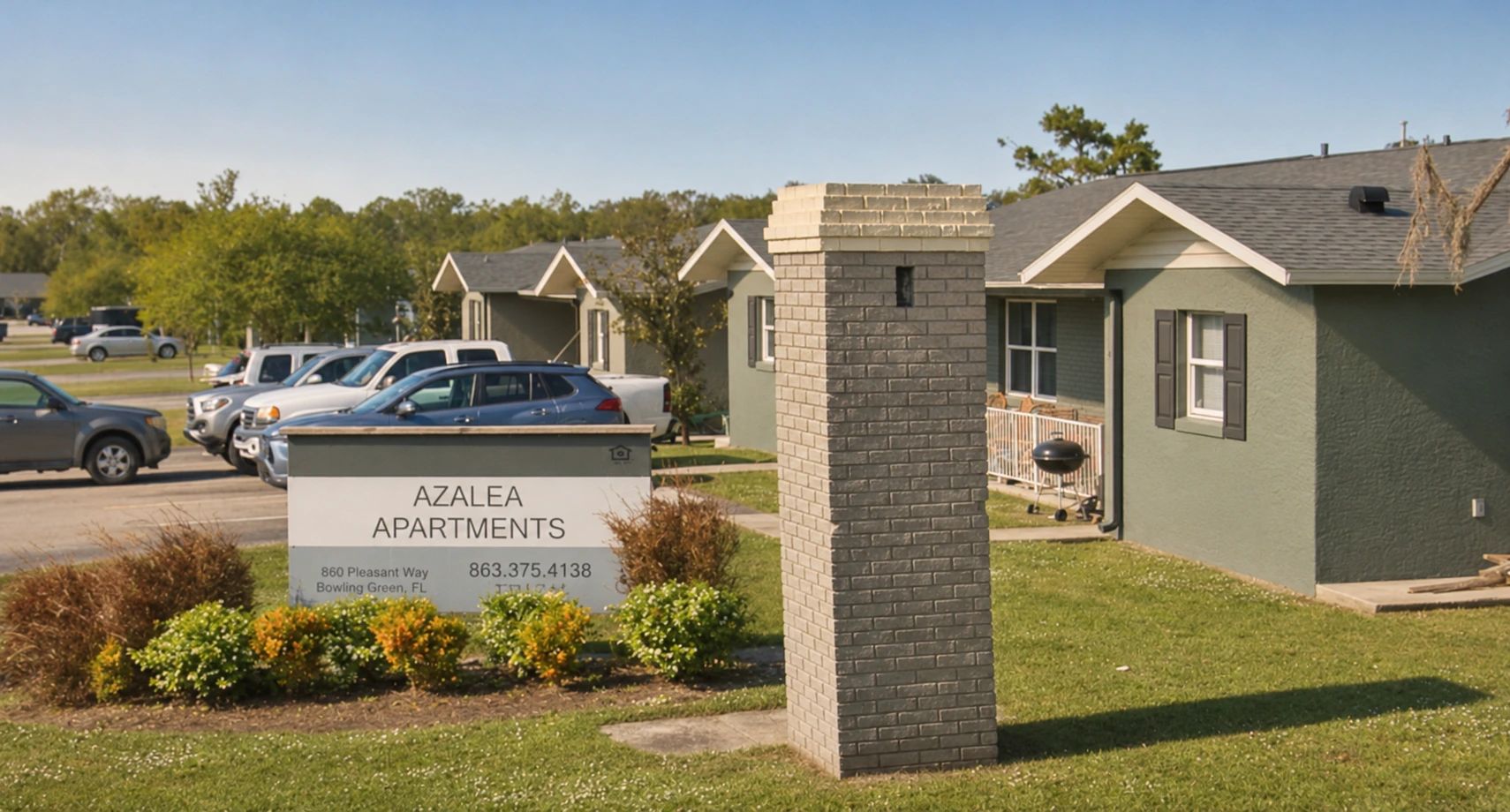
Prezèvasyon an pratik. Azalea Apartments Bowling Green, Florida
Azalea se egzanp aktyèl prezèvasyon lojman riral FNPH la: kenbe apatman abòdab pou rezidan ki gen revni ba ak trè ba nan yon ti vil agrikòl.
Pale sou prezèvasyon Ou ap chèche yon apatman? Ann jwenn yon fason pou avanse. Kòmanse yon konvèsasyon sou travay òganizasyon ou.
Close Log in We’ll email you a verification code.
Email
Send code Need an account? Create one
Enter the code
Verification code
Verify code Send a new code Use a different email
Create an account We’ll email you a verification code.
Email
Send code Already have an account? Log in
Enter the code
Verification code
Verify code Send a new code Use a different email